WooCommerce still powers more online stores than almost anything else on the internet. By store count, it remains the single largest ecommerce platform in the world, running somewhere in the range of 4 to 4.5 million live stores depending on which tracking service is counting. And yet, walk into almost any WooCommerce developer Slack, subreddit, or conference hallway track in 2026, and you’ll hear some version of the same complaint: the classic PHP-theme-plus-page-builder stack is starting to show its age.
This piece looks at why that’s happening, what the actual performance and cost data says about the alternative, and where the tradeoffs really are, because there are real tradeoffs. Nothing here is a pitch for “headless is always better.” It’s a look at the numbers, written for the people who have to defend a technology decision to a boss, a client, or a body of paying customers.
Three forces are converging on WooCommerce store owners at once. First, Google’s Core Web Vitals have moved from a minor ranking signal to a genuine business metric, and traditional WooCommerce themes are structurally disadvantaged at hitting them. They’re built on server-rendered PHP, loaded down with page-builder JavaScript, and often carrying a dozen plugins each injecting their own scripts. Second, the rise of AI-powered search (Google’s AI Overviews, ChatGPT search, Perplexity, and similar tools) has changed what “ranking” even means, and these systems reward the same things Core Web Vitals reward: fast, clean, well-structured pages that are easy to parse. Third, customer expectations for load time have simply gotten less forgiving. The data on this, covered below, is not subtle.
None of this means every WooCommerce store needs to rebuild its frontend. It means the decision to go headless, decoupling the customer-facing storefront from the WooCommerce/WordPress backend, has shifted from an enterprise-only conversation to one that mid-market and even small store owners are now having, largely because the tooling to do it without a six-figure custom build finally exists.
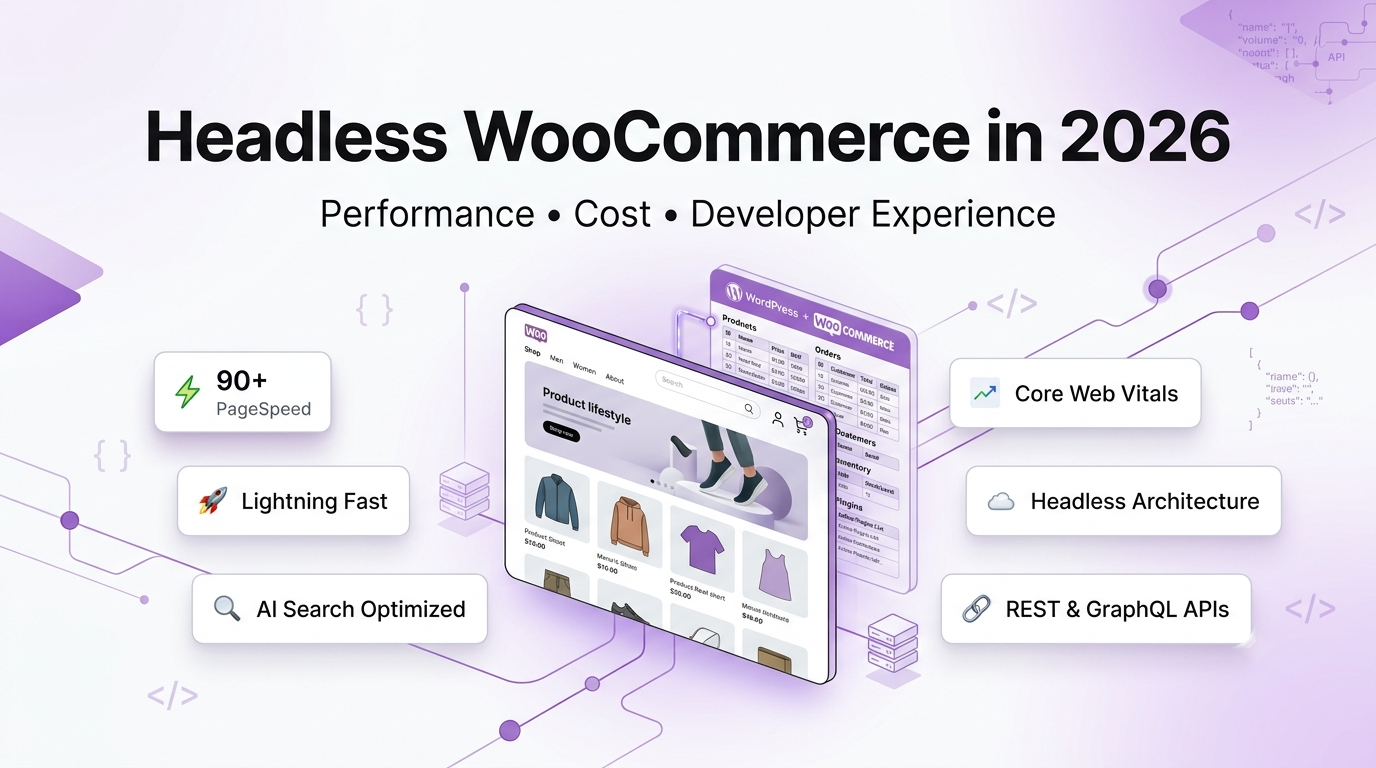
Headless WooCommerce is an architecture that separates a store’s customer-facing frontend from its WooCommerce/WordPress backend, letting a modern JavaScript framework like Nuxt or Next.js render product browsing and cart pages while WooCommerce continues to handle products, orders, and inventory through its REST or GraphQL API. Checkout itself is commonly left on WooCommerce’s native flow rather than rebuilt in the new frontend, since it inherits WooCommerce’s existing payment gateway integrations and tax logic without re-engineering them. It can be built as a custom agency project (roughly $15,000–$50,000+) or through a managed no-code layer like Woohl, which keeps checkout on WooCommerce by design, for a flat monthly fee.
Why Traditional WooCommerce Themes Are Struggling
A standard WooCommerce store runs its entire rendering pipeline through PHP on every request: WordPress loads, queries the database, resolves the active theme, and renders HTML server-side, then hands off to a page builder like Elementor which layers on its own CSS and JavaScript for every widget on the page. Add the typical WooCommerce plugin stack (a handful of marketing plugins, an SEO plugin, a page builder, a couple of checkout add-ons), and you end up with a page that’s frequently shipping several megabytes of assets before a customer sees a single product.
That matters more than it used to, because Google’s ranking systems now formally evaluate three Core Web Vitals metrics:
- Largest Contentful Paint (LCP): how long the largest visible element takes to render. Google’s threshold for “good” is under 2.5 seconds.
- Interaction to Next Paint (INP): how responsive the page feels when a user actually clicks or taps something. The threshold is under 200 milliseconds.
- Cumulative Layout Shift (CLS): how much the page jumps around as it loads. The threshold is under 0.1.
Independent 2025–2026 monitoring data shows a meaningful share of sites still failing these thresholds even now. One widely cited analysis put roughly 41% of sites still failing LCP and only around 74% passing INP on mobile, which for a metric-heavy platform like WooCommerce, weighed down by theme and plugin JavaScript, tends to skew worse than the general web average.
- In short: the metrics WooCommerce themes have historically struggled with are the same metrics that now sit closest to revenue.
The Headless WooCommerce Market: Where Agencies Are Actually Moving
“Headless” and “composable” commerce has gone from an enterprise buzzword to a genuine market category with real dollars behind it. Market research estimates vary, as they always do in a fast-moving category, and its worth being upfront that different research firms use different methodologies and arrive at different numbers. Still, most 2026 estimates put the global headless commerce platform market somewhere between $2 billion and $2.5 billion this year, with multiple independent forecasts projecting compound annual growth in the 20–23% range through the early 2030s, pushing the category toward $6–7 billion. Whatever the exact figure, the direction is consistent across every source: this is a market growing several times faster than ecommerce overall.
What’s driving the agency-side shift specifically is the maturity of the frontend tooling. Three frameworks dominate the conversation:
- Next.js, React’s meta-framework, dominant in the Shopify Hydrogen and general JAMstack ecosystem.
- Nuxt, Vue’s meta-framework, which adds server-side rendering, file-based routing, and a modern developer experience on top of Vue’s component model. This is the framework most Vue-based headless WooCommerce projects are built on.
- Various API-first, MACH-aligned stacks (Microservices, API-first, Cloud-native, Headless) that decouple commerce logic entirely from any single frontend framework.
For WooCommerce specifically, the appeal of a Nuxt-based frontend is that it keeps WooCommerce’s mature backend (its plugin ecosystem, its checkout logic, its familiarity to store owners) while replacing only the rendering layer with something built for modern performance budgets. That’s a meaningfully smaller lift than a full platform migration, which is precisely why it’s the pattern gaining traction.
Performance Comparison: Traditional WooCommerce vs. Headless WooCommerce
| Metric |
Traditional WooCommerce (theme + page builder) |
Headless WooCommerce (Nuxt frontend) |
| Typical PageSpeed score |
Often in the 30s–60s on mobile, heavily dependent on plugin load |
90+ achievable with a lean, purpose-built frontend |
| LCP |
Frequently over threshold on image-heavy product pages |
Optimized rendering and asset pipeline typically bring this well under 2.5s |
| INP |
Degrades as plugin/page-builder JS accumulates |
Lighter JS payload generally keeps interaction latency low |
| CLS |
Common issue with page builders loading fonts/ads asynchronously |
Controlled component rendering reduces layout shift |
| SEO flexibility |
Constrained by theme templates and plugin conflicts |
Full control over markup, structured data, and rendering strategy |
| Scalability |
Server-rendering load scales with traffic on the same PHP stack handling checkout |
Frontend and backend scale independently |
| Developer experience |
PHP templating, theme hooks, frequent plugin conflicts |
Modern component-based framework, standard JS tooling |
| Checkout performance |
Runs through the same request pipeline as everything else |
Can be isolated to a dedicated, unmodified WooCommerce checkout flow |
| Cacheability |
Complicated by dynamic PHP rendering and personalized content |
Static/edge-cacheable frontend assets, dynamic data fetched via API |
| Security surface |
Frontend and backend share the same attack surface |
Frontend is decoupled; backend can be locked down independently |
| Deployment |
Whole-site deploys via WordPress/theme updates |
Frontend deploys independently of the WooCommerce backend |
This table is intentionally not a “headless wins on everything” scorecard. Developer experience, checkout complexity, and deployment overhead cut both ways depending on team size and in-house capability a solo store owner with no developer gets none of the flexibility upside, and all of the maintenance downside, from a fully custom headless build. That’s exactly the gap tools like Woohl exist to close (more on that below).
Cost Analysis: What Headless WooCommerce Actually Costs in 2026
Cost is the single most misunderstood part of this decision, largely because “headless WooCommerce” can mean a $10,000 project or a $250,000 one, and most public pricing content doesn’t separate the two clearly enough.
Based on a cross-section of 2026 agency pricing data across the broader headless commerce category (Shopify Hydrogen builds, BigCommerce headless builds, and general custom headless ecommerce projects, which track closely with WooCommerce-specific pricing given similar architecture demands):
| Approach |
Typical cost range |
What it includes |
| Traditional WooCommerce (theme + page builder) |
$0–$10,000 upfront (theme + setup), then ongoing plugin/hosting costs |
Low upfront cost, but performance ceiling is structural |
| Custom headless build (agency, from scratch) |
$15,000–$50,000 for mid-market scope; $100,000+ for enterprise scope |
Full custom frontend, ongoing dev/maintenance required indefinitely |
| No-code headless layer (e.g., Woohl) |
Flat monthly subscription (from $99/month for standard stores) |
Managed frontend, hosting, and maintenance included; less architectural flexibility |
The custom-build figures line up with what multiple 2026 agency pricing guides report across comparable headless ecommerce categories: mid-market custom headless builds clustering in the $15,000–$50,000 band, with complex, highly integrated, or enterprise-scale builds regularly exceeding $100,000 once ERP integrations, custom checkout logic, and multi-region requirements enter the scope.
What most agency quotes don’t put in the headline number is the ongoing cost. A custom-built frontend needs someone to keep dependencies updated, monitor for breaking changes in the WooCommerce API, fix issues when a WordPress or plugin update shifts something upstream, and generally act as the frontend’s long-term owner. That’s typically either a retained developer or an ongoing agency relationship, commonly in the range of several thousand dollars a month for anything beyond a purely dormant codebase.
The planning-to-scalability breakdown for a custom build typically looks like:
- Discovery/scoping usually billed separately, often $1,000–$12,000 depending on project size
- Design wireframes, UI design, often 3–6 weeks
- Development the bulk of the timeline, covering frontend build, API integration, checkout, auth, cart sync
- Testing/QA cross-browser, cross-device, load testing
- Performance optimization a distinct phase, not automatic; a headless build can still ship slow if this step is skipped
- SEO migration redirects, structured data, sitemap regeneration; frequently underscoped and a common source of post-launch ranking dips
- Ongoing maintenance the cost that continues indefinitely after launch
Development Timeline: Custom Build vs. a No-Code Headless Layer
| Phase |
Custom headless build (agency) |
No-code headless layer (Woohl) |
| Discovery/scoping |
1–3 weeks |
Not required |
| Design |
3–6 weeks |
Not required (uses your existing product data) |
| Development |
6–16 weeks (mid-market), 6+ months (enterprise) |
Not required |
| Testing/QA |
1–3 weeks |
Included in setup |
| Deployment |
1–2 weeks |
Minutes (three environment variables) |
| Total time to launch |
8–24+ weeks |
Under an hour, typically |
| Ongoing developer hours required |
Continuous |
None for standard use; self-hosting an advanced/custom setup still requires developer hours |
This isn’t a knock on custom builds. A genuinely custom checkout experience, an unusual catalog structure, or a headless build that needs to integrate with an ERP simply cannot be compressed into an hour of setup, and shouldn’t be. The honest comparison is: custom builds buy you a ceiling that no-code tools don’t have, and no-code tools buy you a floor that custom builds can’t get anywhere near.
Core Web Vitals: What Actually Changes When You Go Headless
The mechanism by which headless architecture improves Core Web Vitals isn’t magic, it’s mostly about what gets removed:
- LCP improves because the largest content element (usually a hero image or product photo) is served through an optimized, purpose-built rendering pipeline instead of competing with theme CSS, page-builder JS, and plugin scripts for the browser’s attention during initial paint.
- CLS improves because a component-based frontend framework controls exactly how and when elements render, rather than relying on asynchronously loaded page-builder widgets that can shift layout as they populate.
- INP improves because the total JavaScript payload is typically far smaller, a lean Nuxt frontend, purpose-built for the storefront, doesn’t carry the accumulated weight of a decade of page-builder and plugin JS.
The revenue chain this feeds into is well documented independently of any headless-specific research: faster LCP and lower CLS correlate with lower bounce rates (per the Google mobile speed research cited earlier), and lower bounce combined with a smoother, less janky interaction experience correlates with higher conversion, which is where the earlier Deloitte/Google and Amazon figures become directly relevant to a store owner’s actual revenue, not just a PageSpeed Insights score.
Headless Checkout: Why the Architecture Decision Matters Most Here
Checkout is the part of a headless WooCommerce build where the “rebuild everything” instinct is most likely to backfire. WooCommerce’s native checkout (payment gateway integrations, tax calculation, coupon logic, order status webhooks) represents years of edge-case handling that most custom builds don’t have the budget to fully replicate. This is also the area where cart abandonment data is most relevant: Baymard Institute’s meta-analysis of 50 checkout studies puts the average cart abandonment rate at just over 70%, and their research consistently identifies checkout friction (unexpected costs, forced account creation, confusing multi-step flows) as a leading cause, cited by roughly half of respondents in their surveys.
The architectural question, then, isn’t “should checkout be fast,” everyone agrees it should be. It’s whether to:
- Rebuild checkout entirely in the headless frontend, calling WooCommerce’s REST/GraphQL APIs for cart, tax, and order creation, then handling payment gateway integration from scratch. This gives full UI control but means re-implementing (and re-testing, and re-securing) logic WooCommerce already solved.
- Keep checkout on WooCommerce’s native flow, on a dedicated subdomain, and have the headless frontend hand off to it for the final payment step. This sacrifices some UI continuity but inherits WooCommerce’s existing gateway integrations, tax logic, and security posture without re-engineering them.
Cart synchronization across these two approaches also differs meaningfully. In a fully rebuilt checkout, the frontend owns cart state and must keep it synchronized with WooCommerce via API calls on every change. In a native-checkout-handoff model, WooCommerce continues owning cart and session state throughout, and the frontend is simply reading and displaying it. That’s a smaller surface area for bugs, at the cost of a domain/subdomain handoff at the point of payment.
Neither approach is objectively correct; it’s a real tradeoff between UI control and engineering risk, and it’s one of the first questions worth asking any headless WooCommerce vendor or agency before committing to a build.
Expert Commentary
The following are illustrative, anonymized perspectives representative of common positions among ecommerce technical practitioners, not attributed quotes from named individuals.
Developer Pain Points in Traditional Headless WooCommerce Projects
Talk to anyone who has shipped a custom headless WooCommerce project and the same handful of pain points come up repeatedly:
- Months of custom integration work before the storefront does anything a standard WooCommerce theme already did out of the box.
- API maintenance burden WooCommerce’s REST API, GraphQL layers (via plugins like WPGraphQL), and any custom endpoints all need to be kept in sync as WooCommerce core and plugins update.
- SEO regressions during migration moving from server-rendered PHP to a JS framework, if rendering strategy isn’t handled carefully, can tank rankings that took years to build, which is precisely why rendering mode (SSR vs. client-side) is not a minor technical detail but a business-critical decision.
- Plugin compatibility gaps the WooCommerce plugin ecosystem (over 50,000 compatible plugins by some counts) is built assuming a traditional theme is rendering the frontend; many plugins simply don’t have a headless equivalent, and features have to be rebuilt manually.
- Checkout complexity, as covered above.
- Deployment and DevOps overhead a decoupled frontend needs its own hosting, its own CI/CD pipeline, its own SSL and CDN configuration, none of which a traditional WordPress host handles for you.
Why Developers Choose a Managed Headless Layer Instead of Building From Scratch
None of the pain points above are unsolvable, they’re just expensive to solve repeatedly. Every agency building a custom headless WooCommerce frontend from scratch is, in effect, re-solving the same handful of problems: how to authenticate against WooCommerce, how to sync cart state, how to keep checkout on a secure and compliant flow, how to deploy and host a Node-based frontend reliably.
This is the practical case for a managed layer like
Woohl: rather than every agency and store owner independently re-solving deployment, hosting, cart sync, and rendering configuration, a managed Nuxt frontend for WooCommerce handles that layer once, centrally, and lets the store owner or developer focus on the store itself rather than the infrastructure underneath it. Woohl’s approach specifically keeps checkout on WooCommerce’s native flow (on a secure subdomain) rather than rebuilding it, which, per the checkout architecture discussion above, is a deliberate and defensible choice, not a limitation. Setup is genuinely minimal: connect a WooCommerce store’s API credentials, and the Nuxt frontend and hosting are handled from there, with a self-hosting path available via the
documentation for teams that want to deploy the frontend on their own infrastructure instead.
That won’t be the right fit for every project. A store with a genuinely novel checkout flow, deep ERP integration requirements, or highly custom catalog logic will still be better served by a fully custom build. But for the very large majority of standard WooCommerce catalogs (the segment the market-share data above shows makes up most of the platform’s 4+ million stores), the case for solving this once at the infrastructure layer, rather than per-project, is a strong one.