
Already know you want headless? See Headless WooCommerce Costs, Performance & Timelines (2026) for the numbers-first version.
Your WooCommerce store probably isn’t slow because WooCommerce is slow. Nine times out of ten, the problem is everything sitting on top of it — a theme that’s been patched by three different developers, a plugin stack that fights itself on every page load, and enough render-blocking JavaScript to make Core Web Vitals cry. You run a PageSpeed test, get a 41 on mobile, and start Googling ways to fix it.
That search usually leads to the same place: headless WooCommerce development
It’s a good instinct. Separating the storefront from the WordPress theme layer genuinely fixes a lot of the performance and flexibility problems that come baked into a traditional WooCommerce build. But “go headless” isn’t a single decision — it’s a fork in the road with three very different paths, three very different price tags, and three very different levels of ongoing responsibility.
This article walks through what headless WooCommerce development actually involves, why stores are moving toward it, and the real trade-offs between building it yourself, hiring an agency, and using a productised solution like Woohl. None of these options is universally “right.” The right one depends on your budget, your team, and how much custom behavior your storefront genuinely needs.
What Is Headless WooCommerce Development?
Strip away the jargon and it’s a fairly simple idea: you separate the part of your store that customers see from the part that runs the business.
Traditional WooCommerce
Customer → WordPress Theme → WooCommerce → Database
Headless WooCommerce
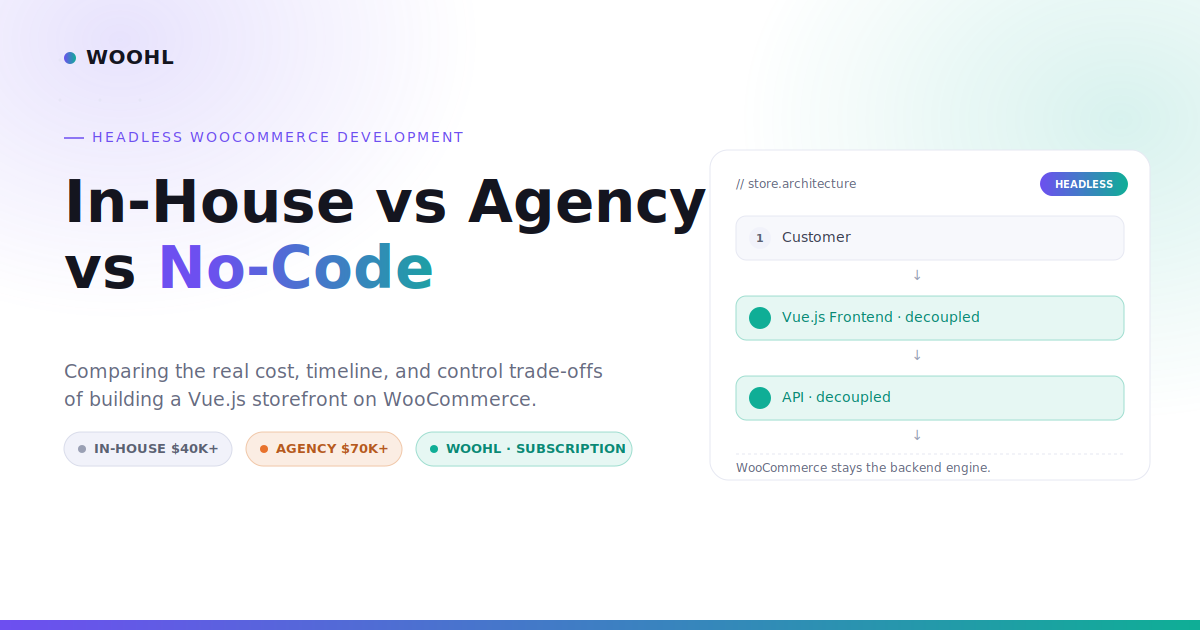
Customer → Vue.js Frontend → API → WooCommerce Backend
Everything — layout, styling, product pages, cart, checkout — is rendered by WordPress and your theme in a traditional setup, with WooCommerce handling the commerce logic underneath. In headless, the frontend becomes an independent application that talks to WooCommerce through its API instead of PHP templates. WooCommerce keeps doing what it’s good at: products, inventory, orders, coupons, taxes, shipping rules, and payment processing.
What changes: page rendering, speed, how the storefront is built and updated, and how much design freedom you have. What doesn’t change: your product catalog, your order data, and WooCommerce’s role as the actual engine of the store.
Why Are WooCommerce Businesses Going Headless?
A few recurring reasons come up in almost every conversation about this:
- Performance. Decoupled frontends generally ship far less bloat than a theme-plus-plugins stack, which shows up directly in load times and Core Web Vitals.
- Frontend flexibility. Your marketing team can change the storefront without rebuilding the WooCommerce engine underneath it.
- Reduced theme dependency. No more theme updates breaking a custom checkout tweak from eighteen months ago.
- Modern frontend tooling. Component-based architecture and faster iteration than traditional PHP templating.
- Scalability. A frontend not tied to WordPress’s rendering cycle tends to handle traffic spikes more gracefully.
Headless architecture is not an automatic Google ranking factor. What Google rewards is speed, good Core Web Vitals, and a solid user experience — and a well-built headless frontend tends to deliver more of those than a heavy, plugin-laden theme.
The Real Question: Who Should Build It?
Once a business decides headless is worth pursuing, the actual decision isn’t “should we go headless.” It’s “who builds and maintains this.” There are three realistic paths:
IN-HOUSE using your own developers AGENCY a specialist headless ecommerce shop WOOHL a productised, no-code solution
The right answer depends on a handful of practical questions: what’s the budget, does your team already have Vue or React experience, how much time can you realistically give this, how custom does the frontend actually need to be, and who maintains it a year from now.
Cost & Time Comparison at a Glance
Figures below are illustrative planning ranges based on typical project scope, not fixed quotes.
| Approach | Upfront Cost | Time to Launch | Skill Needed | Best For |
|---|---|---|---|---|
| In-house | $40K–$100K+ equivalent internal cost | Months, dependent on bandwidth | High — Vue/React, API, DevOps | Existing dev team, long-term platform |
| Agency | Often $70K–$100K+ | Several months, discovery → launch | Handled by agency | Complex integrations, bespoke UX |
| Woohl | Subscription — see current pricing | A couple of hours – we migrate, you point your domain | Low — no code required | Fast, modern storefront on existing WooCommerce |
In-House Headless WooCommerce Development
If you’ve already got engineers who know WooCommerce and Vue or React, in-house is a legitimate option — and in some cases the best one.
Where it wins: maximum control over architecture and roadmap, institutional knowledge stays inside the company, no handoff risk, long-term ownership as the platform scales.
Where it gets expensive fast: building headless WooCommerce internally means hiring or reassigning people who can handle API development against WooCommerce’s REST endpoints, frontend architecture, authentication, payment flow integrity, DevOps, security hardening, and ongoing performance tuning — then keeping that team available for maintenance indefinitely, not just the initial build.
If you already have a strong WooCommerce-and-Vue team with spare capacity, in-house makes real sense. If you’d need to hire that team specifically for one storefront, the economics change quickly.
Hiring a Headless WooCommerce Agency
Agencies exist for a reason, and that reason is usually complexity. They make the most sense when you need deep integrations with ERP, PIM, or OMS platforms, a fully custom checkout experience, multi-store or multi-region architecture, internationalisation, or bespoke business logic that doesn’t fit a template.
A good headless WooCommerce agency brings discovery and scoping, UX/UI design, frontend development, WooCommerce and API development, third-party integrations, QA, DevOps, hosting setup, project management, and usually an ongoing support contract once the site is live.
That list is exactly why pricing climbs. Depending on scope, integrations, design requirements and complexity, a custom headless WooCommerce build from an experienced agency can easily reach $70,000–$100,000 or more. That’s not every agency or every project — a smaller-scope build might land lower, and a genuinely complex integration might land higher. But for a serious, fully custom build, that range is a realistic planning figure, not a scare tactic.
No-Code / Productised Headless WooCommerce
This is the middle path that’s gained traction over the last couple of years, and it’s worth being precise about what “no-code” actually means here.
It doesn’t mean zero work on your side: you still manage your store in WooCommerce and make one DNS change. What it removes is the custom development layer — the part where a team writes bespoke frontend code, builds API middleware from scratch, and architects a deployment pipeline just for your store.
For stores with standard WooCommerce functionality that mainly want speed and a modern frontend, that trade-off is usually a good one. For a business that needs a completely bespoke checkout flow or a deeply custom enterprise integration, a productised tool will feel constraining — that’s where an agency build earns its cost.
Where Woohl Fits
Woohl. sits here: a productised way to get a headless WooCommerce storefront without commissioning a custom platform from scratch.
Customer → Vue.js Storefront → Woohl API/Plugin Layer → WooCommerce → Products / Orders / Inventory / Payments
Woohl converts an existing WooCommerce store into a Vue.js storefront while keeping WooCommerce exactly where it belongs — as the backend. Products, orders, inventory, and payments still run through WooCommerce. Woohl adds a WordPress/WooCommerce plugin layer that connects your existing backend to a fast, modern Vue.js frontend, with migration done for you in a couple of hours rather than a months-long custom project.
How WOOHL does headless WooCommerce with Vue.js
- Frontend: Vue.js storefront for your WooCommerce catalog
- Backend: Your existing WooCommerce stays the source of truth (products, orders, coupons, taxes, shipping)
- Hosting: Storefront hosting is included — no separate infrastructure to assemble
- Checkout: Payments stay on WooCommerce for gateway compatibility
- Setup: Connect your WooCommerce store and go live — no custom theme rebuild required
Woohl vs a $70K–$100K Custom Agency Build
| Factor | Custom Agency Build | Woohl |
|---|---|---|
| Initial investment | Often $70K–$100K+ | Subscription-based |
| Development time | Months, discovery → launch | A couple of hours — we migrate, you point your domain |
| Frontend | Fully custom-built to spec | Pre-built Vue.js storefront |
| WooCommerce backend | Retained + custom API work | Retained, via plugin layer |
| Customisation | Unlimited | Productised architecture |
| Hosting | Sourced separately | Included |
| Maintenance | Your team / agency retainer | Included in plan |
| Best suited for | Bespoke enterprise requirements | Fast, modern storefront on existing WooCommerce |
Agency wins when extreme customisation is genuinely required. Woohl wins when you want the benefits of headless without opening a six-figure development project.
Example Scenario
Consider a hypothetical: a growing WooCommerce brand with 2,000 products, a WooCommerce backend that works fine, a WordPress theme that’s slowing everything down, and a small internal marketing team with no dedicated frontend developer.
Route A Agency build. Scope a custom headless project, go through discovery and design, wait months for development, land around $70,000–$100,000+ once integrations and QA are factored in. Fully bespoke frontend — and a serious budget and timeline commitment.
Route B Woohl. Keep the existing backend untouched, connect it through Woohl’s plugin layer,and have a Vue.js storefront migrated and hosted for you in a couple of hours. Less bespoke than a full custom build, but a dramatically smaller cost and timeline.
When Should You Choose Each Option?
In-house if you already have Vue/React + WooCommerce developers, need complete technical control, and headless is part of a broader platform strategy.
Agency if you need genuinely custom development, have enterprise integrations (ERP, PIM, OMS), or need bespoke UX and business logic with budget flexibility.
Woohl if you’re already on WooCommerce, want a modern Vue.js storefront without a custom build, performance is a priority, and you’d rather not commit $70,000–$100,000+ to get there.
Is Headless WooCommerce Worth It?
Not for every store, and not automatically. It tends to be worth it when performance is genuinely holding growth back, when the existing theme limits what marketing or design can do, or when Core Web Vitals are hurting conversions — while the WooCommerce backend itself is working fine and doesn’t need replacing.
It’s harder to justify for very small stores with low traffic, stores that already have solid PageSpeed scores, or any case where the cost can’t reasonably be tied to a business outcome. Going headless because it’s trendy isn’t a strategy — going headless because your PageSpeed score is costing you conversions is.
Conclusion
Headless WooCommerce development isn’t really a question of whether you should go headless. It’s a question of how much complexity your business actually needs to solve the problem you have.
In-house gives you control, at the cost of building and maintaining specialist capability internally. An agency gives you full customisation, at a price that reflects genuinely custom engineering — often $70,000–$100,000 or more for a serious build. Woohl gives you a faster, simpler route to a modern Vue.js storefront while WooCommerce keeps doing what it already does well.
Ready to modernise your storefront?
If you already have WooCommerce and want to explore a faster Vue.js storefront without starting a six-figure development project, Woohl is worth a look.
Frequently Asked Questions
Everything a store owner needs to know about the three ways to build headless WooCommerce.
What is headless WooCommerce development?
It separates the customer-facing storefront from WooCommerce’s backend. A frontend framework like Vue.js talks to WooCommerce through its API instead of WordPress rendering pages directly. Products, orders, inventory, and payments still run through WooCommerce.
How much does headless WooCommerce development cost?
In-house builds typically run $40,000–$100,000+ in equivalent internal cost. A custom agency build can reach $70,000–$100,000+ depending on scope. Productised solutions like Woohl use a subscription model instead of a large upfront project fee.
Is headless WooCommerce worth the investment?
Depends on the store. It tends to pay off when slow performance or a limiting theme is genuinely hurting conversions and growth. Harder to justify for small, low-traffic stores or sites that already perform well.
Is Woohl a replacement for WooCommerce?
No. Woohl keeps WooCommerce as the backend handling products, orders, inventory, and payments, and adds a Vue.js frontend on top through a plugin layer. WooCommerce continues running the store. See WOOHL vs DIY →
Do I need developers to use Woohl?
No. WOOHL is fully managed: we migrate your store in a couple of hours, host the storefront and keep it updated. You only change one DNS setting.
Read the documentation →